
Faction Packed Item Uber Shader
Project information
- Category: Shader Development, Material Tools
- Project date: 2025 - 2026
- Role: Technical Artist & Engineer
- Built for: Faction Packed
Overview
The item uber shader gave Faction Packed a shared material system for stylized mobile items: glass, fluid fills, iridescence, emissive details, texture stacking, edge painting, vertex pushing, and cheap variants for simpler assets.
Problem
The item library had too many visual needs for one-off materials to stay maintainable. Potions, gems, weapons, bags, spell scrolls, and trinkets all needed different effects, but the project also needed consistent batching behavior, predictable controls, and fast iteration.
What I Built
- Shared shader graph: One main item shader covered most material cases across the item library.
- Custom material GUI: Foldout sections grouped controls by base color, normals, emission, OSMT, alpha, iridescence, fluid effects, texture stacking, edge painting, and vertex pushing.
- Feature visibility: Conditional controls kept the inspector readable instead of exposing every parameter all the time.
- Animated material inputs: Panning controls supported subtle motion without custom scripts per item.
- Cheap variants: A simpler shader path reduced cost for assets that did not need secondary effects.
- Instancing compatibility: The material system was adjusted to work with the project's runtime batching and impostor needs.
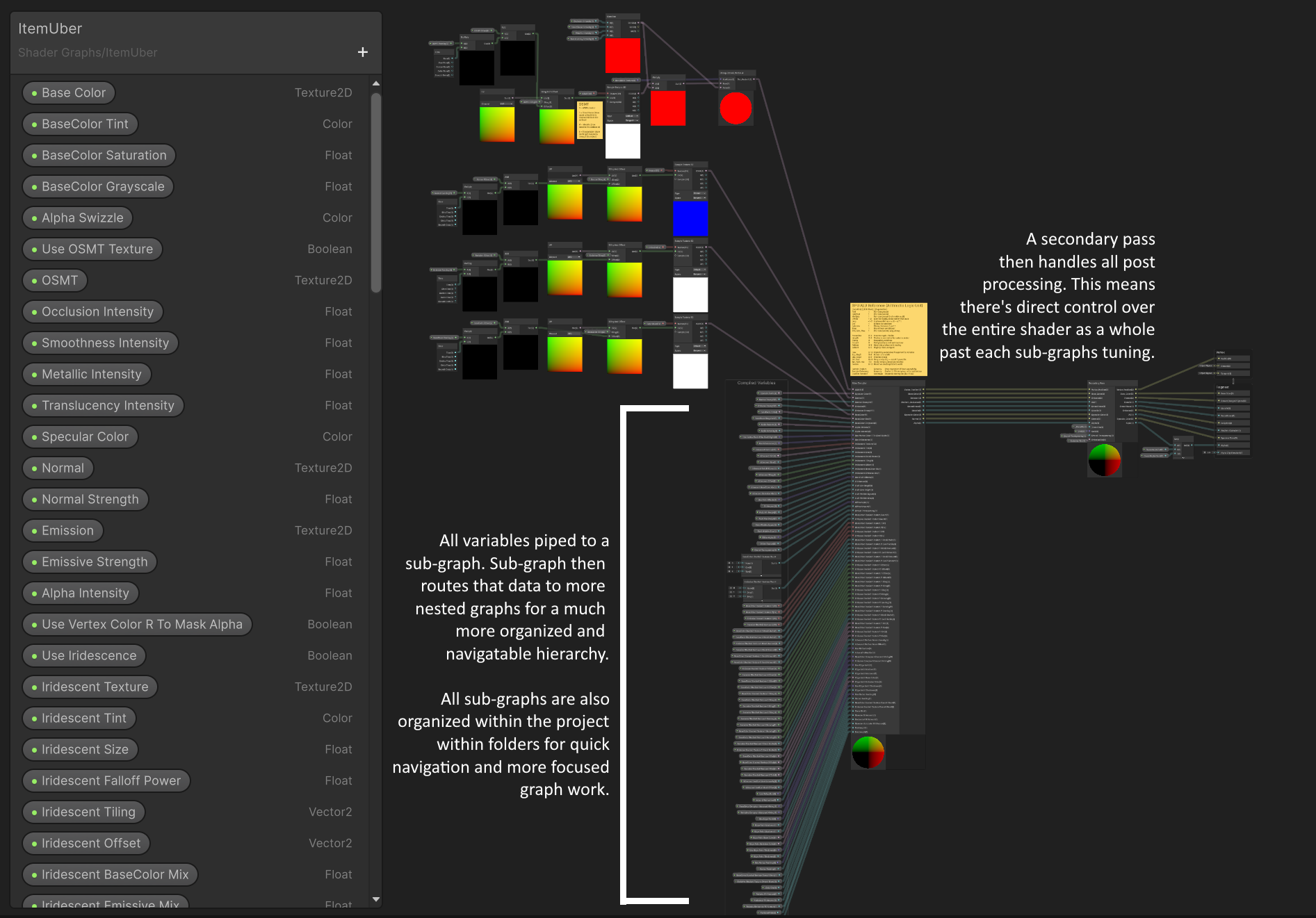
The main graph acts as the routing layer for the item material system. It pipes exposed material variables into the UberCompiler sub-graph, sends the result through a secondary pass for post-process-style material work, and then connects the compiled result to the shader output ports.
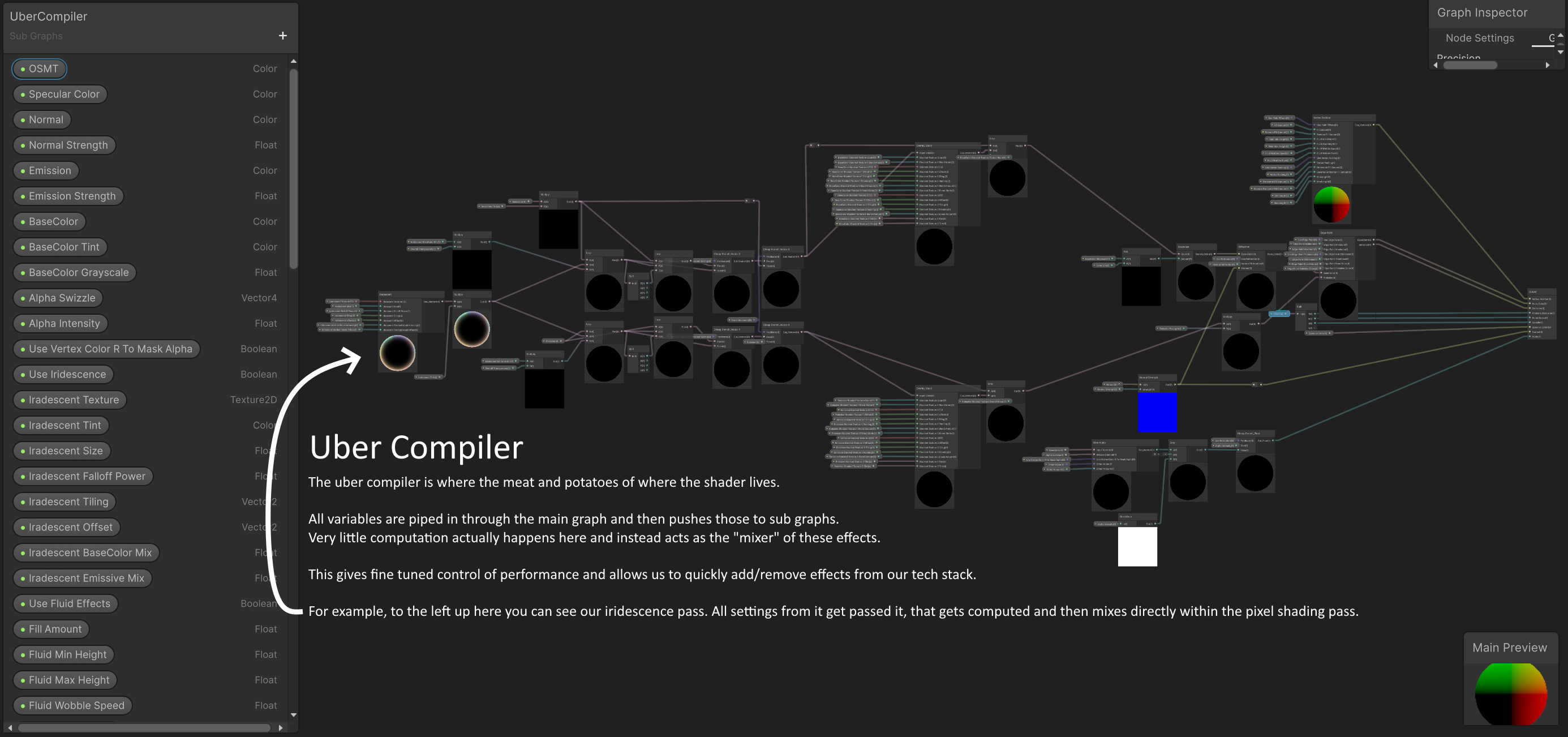
The UberCompiler sub-graph is where the individual effects are actually mixed into the stack. Passes like iridescence are combined with other samplers and material effects so the main graph stays focused on orchestration instead of becoming unmanageable.
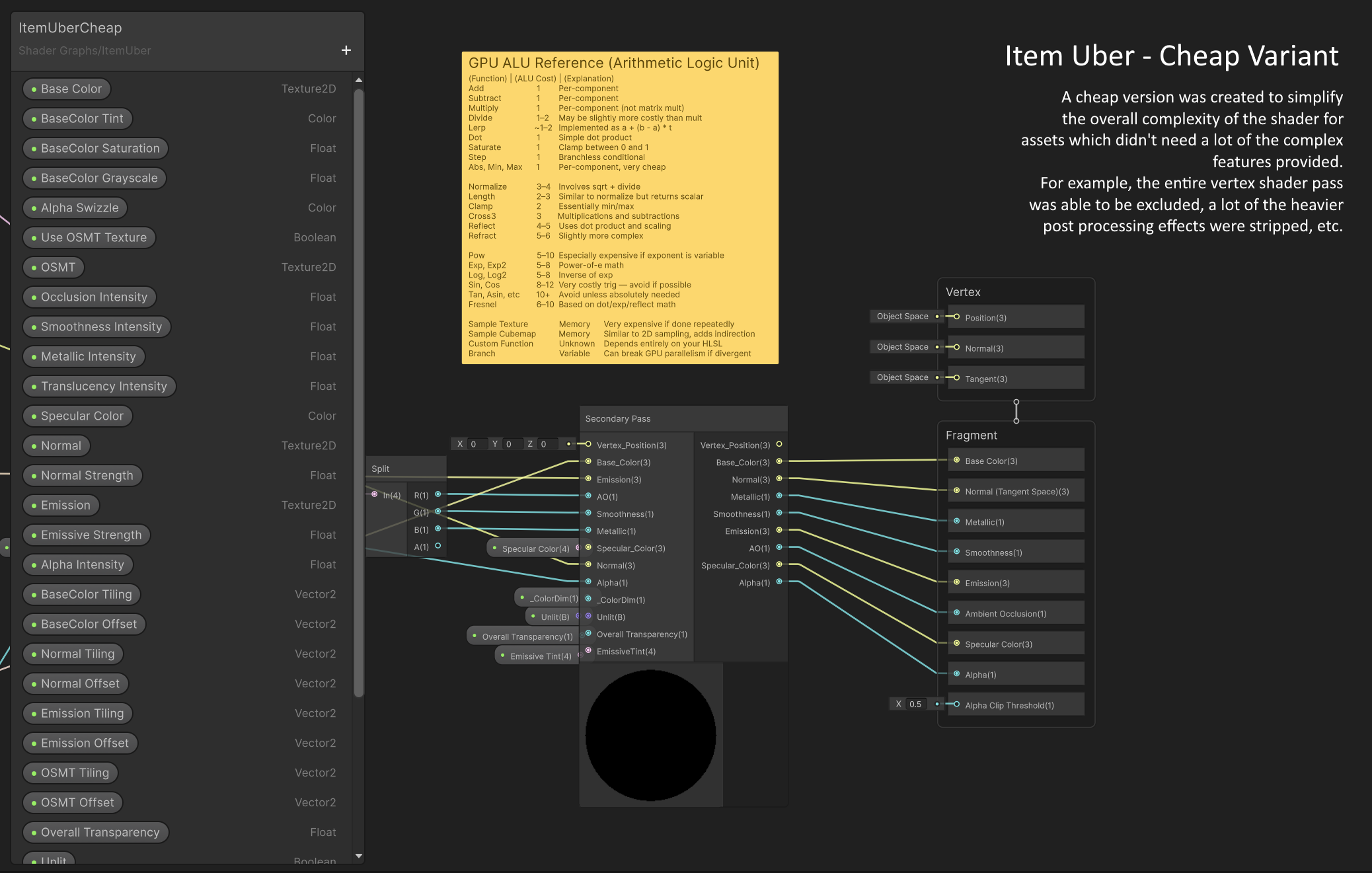
The cheap variant removes vertex-pass manipulation and simplifies the pixel shading path. It was used for straightforward items like simple swords and daggers that did not need advanced rendering features.
Technical Notes
The shader GUI manages render surface options, alpha clipping, render queue behavior, pass enablement, and shader keywords so artists can author materials without manually fixing render state.
The shader graph was split into reusable helper functions for effects like iridescence, refraction, overlay stacking, alpha handling, and vertex position changes. That kept the graph practical as the feature set grew.
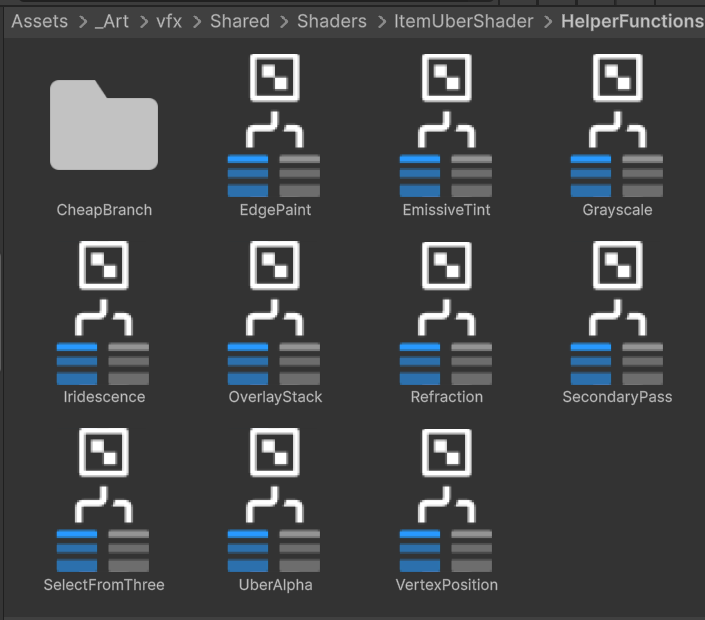
The HelperFunctions folder kept reusable sub-graphs organized for the main shader and UberCompiler. This prevented excessive node spaghetti and made individual effects easier to isolate, test, and reuse.
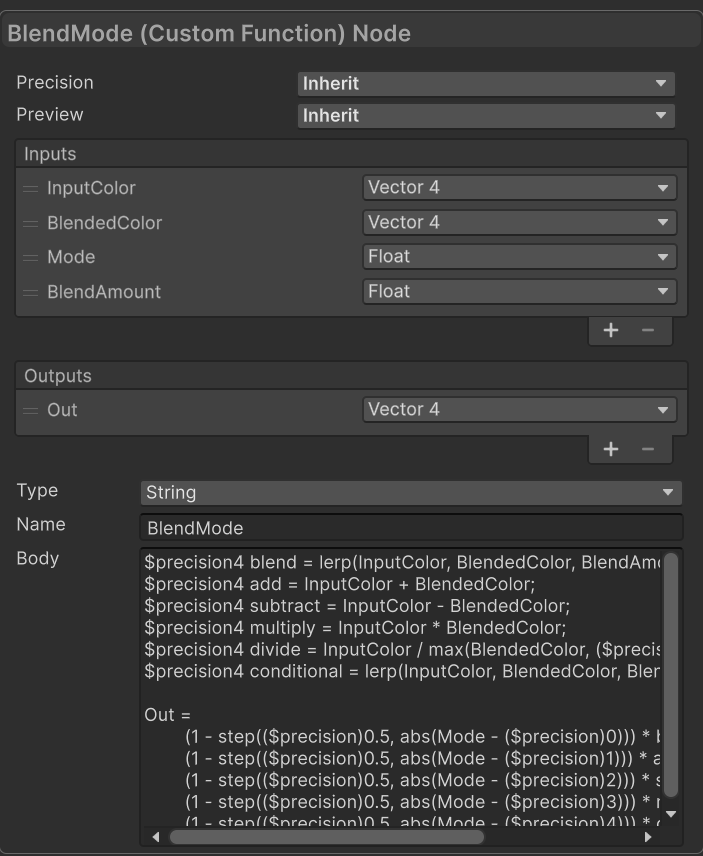
Several custom nodes were used where Shader Graph's standard nodes were too limited or too expensive. This BlendMode function selects modes such as value blend, add, subtract, multiply, divide, and conditional blends from an enum-backed integer, using step operations to avoid branching.
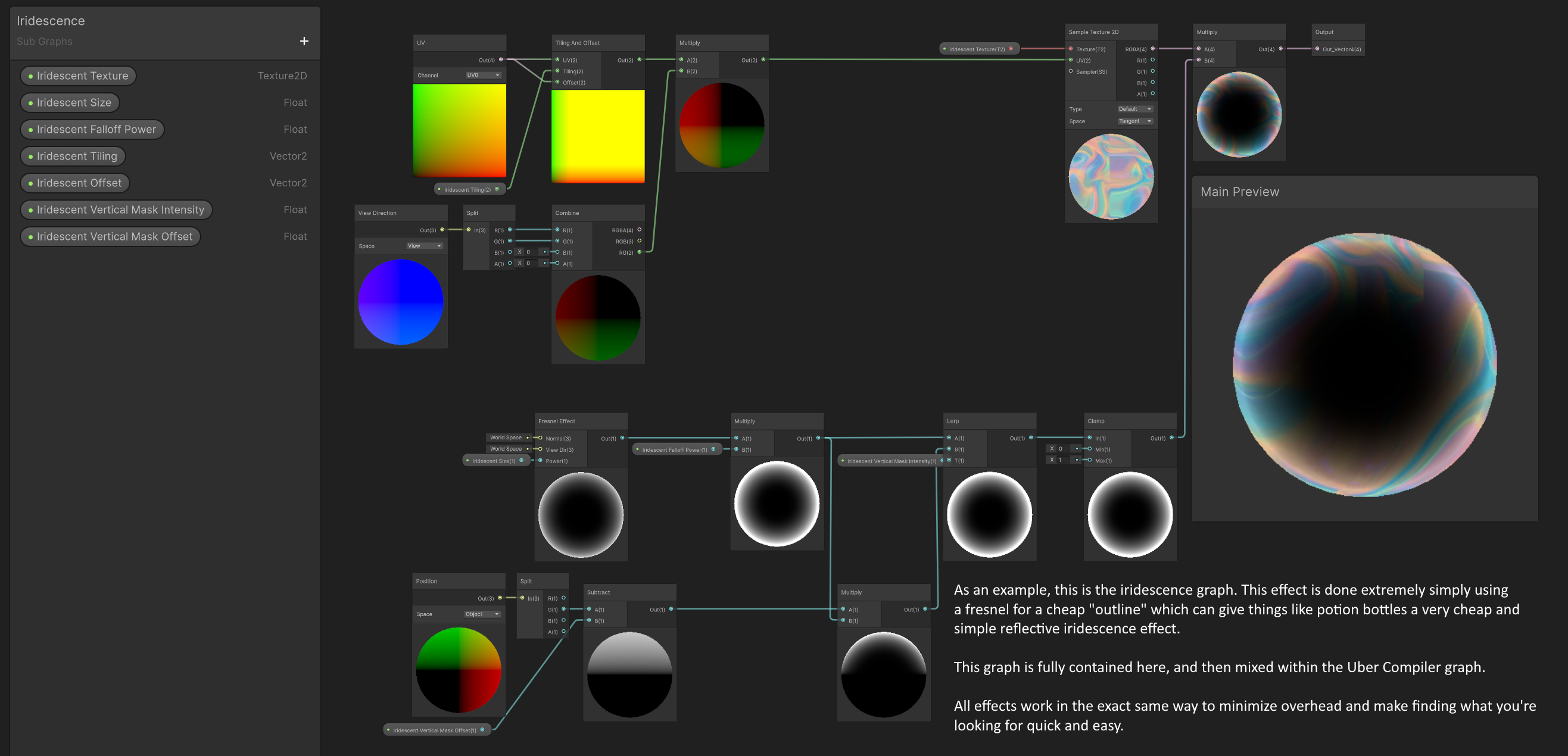
This is one example of a sub-graph which handles an isolated effect which then blends around the other effects. The iridescence pass uses a cheap fresnel effect with a UV-mapped overlay texture. It helped sell oily potion edges and fake mobile-friendly reflections, especially when paired with refraction.
Portfolio Takeaway
This is the kind of shader work that matters in production: not just making one impressive material, but building a controlled material system that artists can use across hundreds of assets without constantly needing engineering support.