
Pixel Snapper

Project information
- Category: Open Source Tooling, Pixel Art Pipeline, Web Tooling
- Project date: 2025 - Ongoing
- Stack: HTML, CSS, JavaScript, Web Workers, OffscreenCanvas
- Built for: Cogheart production workflows
- Live tool: pixelsnapper.tabularisgames.com
Pixel Snapper
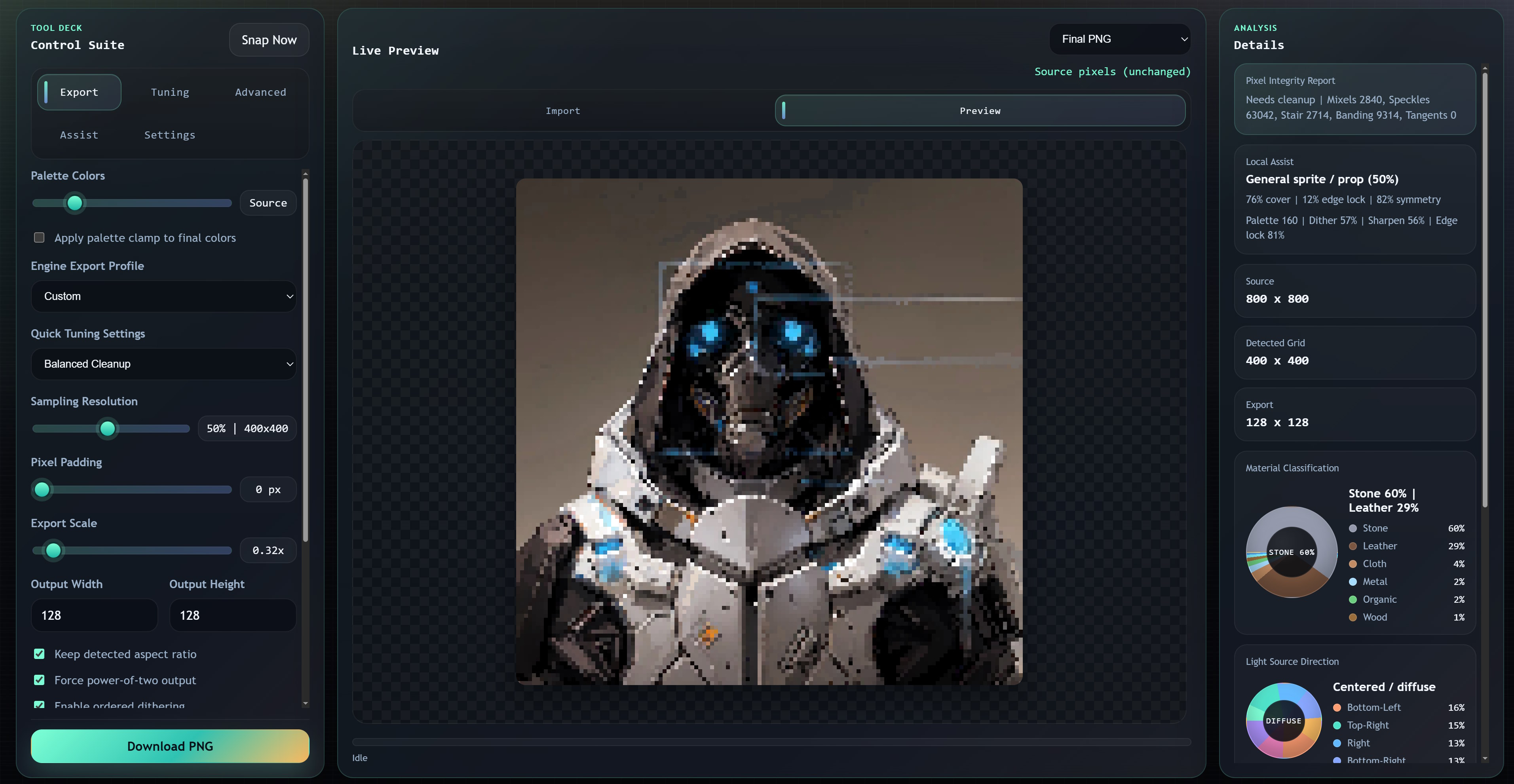
Pixel Snapper is a browser-based pixel processing suite built for serious production workflows. It was originally developed for Cogheart and goes far beyond simple pixel resizing.
Fully open source. Fully client-side. No uploads. No tracking. Built in a day, and it will continue evolving alongside production needs.
Why This Exists
Most online pixel tools only scale images. That is not enough when you are trying to prepare assets for a real production pipeline with engine constraints, palette targets, shader workflows, and deterministic output requirements.
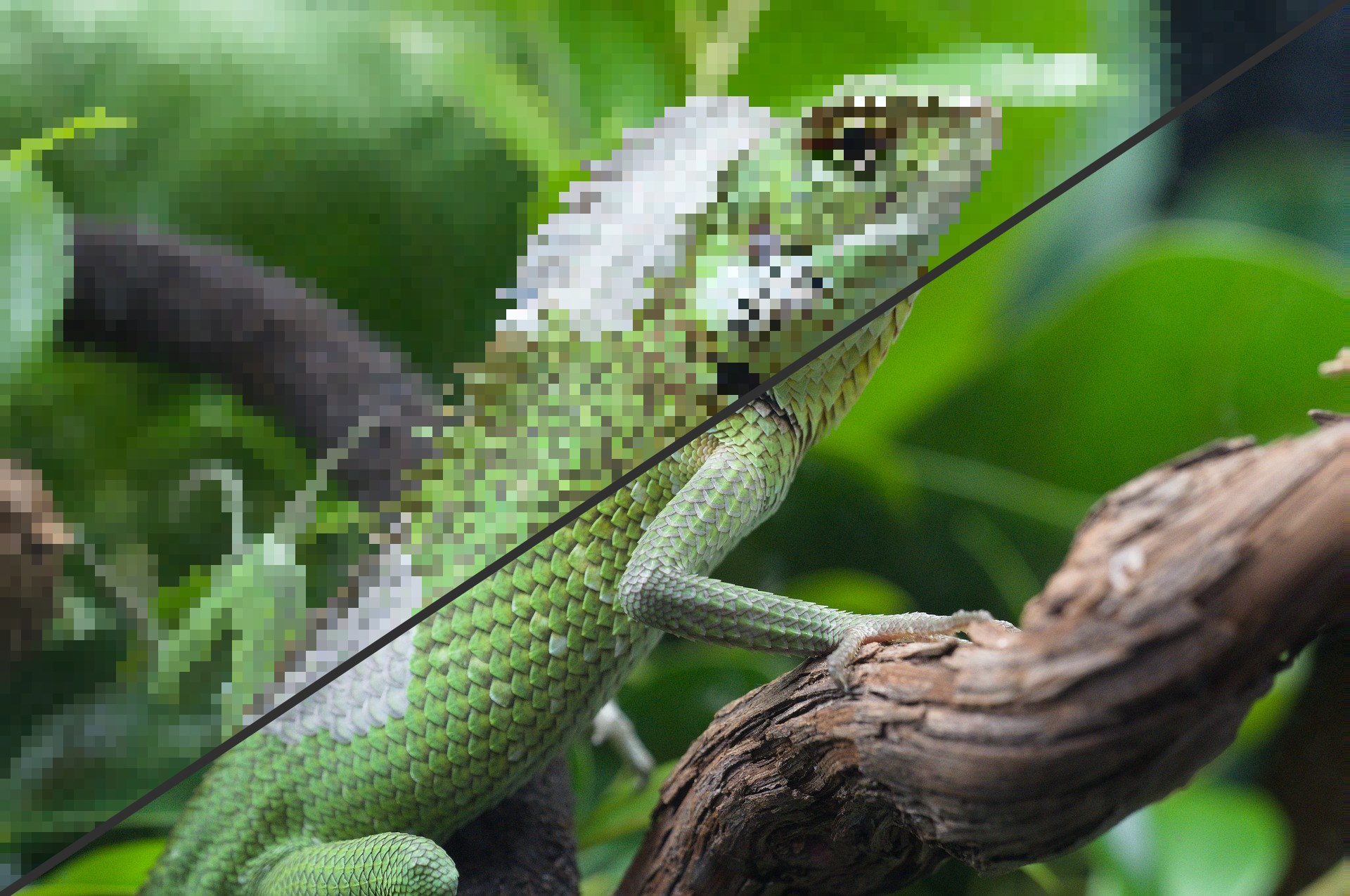
Pixel Snapper was built because existing web tools were not solving the hard parts. Instead of just resizing, it analyzes structure, detects likely pixel grids, stabilizes cuts across both axes, resamples by dominant color regions, and applies cleanup passes meant to preserve intent rather than blur it away.
The result is a tool that can take messy source material, AI-assisted sprites, painted art, or soft assets and push them toward grid-stable, engine-ready output without needing any backend service.
Core Capabilities
- Intelligent Grid Detection and Snap: Column and row profile analysis, adaptive step estimation, grid stabilization across axes, dominant-color region resampling, and optional bypass mode for raw editing.
- Palette and Quantization Control: 2-256 color quantization, adaptive palette budgeting, palette clamp control, ordered dithering, palette balance weighting, and indexed export modes.
- Advanced Cleanup Passes: Sharpen pre-pass, despeckle passes, mixel cleanup with guard thresholds, edge locking, anti-alias intent control, gradient ramp shaping, and dither zoning.
- Semantic and Assist Systems: Subject-aware tuning, smart tuning presets, style presets for common production targets, material-aware analysis, and light sector breakdown.
- Export Profiles: Engine-aware presets for Unity URP 2D, Unreal Paper2D, indexed WebGL, LUT shader pipelines, retro handheld targets, and print or atlas preparation.
Export Pipeline
The export layer was designed to be useful in real content workflows rather than ending at a single PNG. In addition to processed output, Pixel Snapper can prepare data that is directly useful for rendering and tooling pipelines.
- Engine-ready presets: Output modes tuned for common runtime and content targets.
- Metadata extras: Metadata JSON, palette LUT generation, and indexed export support.
- Material extras: Optional material maps, normal maps, and AO maps for extended workflows.
- Pipeline-friendly behavior: Deterministic output, non-destructive handling, and export preparation aimed at downstream shader and engine integration.
Off-Main-Thread Processing
Heavy image processing runs in a dedicated worker. That matters because the tool is meant to stay responsive while processing larger assets and more expensive passes.
- Large image handling without locking the interface.
- Progressive progress updates during processing.
- OffscreenCanvas rasterization where available.
- Transferable buffer messaging to reduce memory copying.
- Responsive UI while the tool is doing actual work.
Architecture Overview
The project intentionally avoids external dependencies and keeps the system legible.
index.html- UI shellstyles.css- Themed UI stylingmain.js- App orchestration, state, persistence, and UI bindingpixel-snapper.js- Core snapping, resampling, and quantization engineprocessing-worker.js- Worker execution layer
All processing is performed client-side using ImageData buffers and transferables. No external services are required.
Design Goals
- Production-ready output
- Deterministic results
- Engine-aware exports
- Non-destructive workflow
- High control surface
- Zero server cost
- Fully offline capable
Use Cases
- Cleaning AI-generated sprites.
- Converting painted art into grid-stable pixel art.
- Preparing sprite sheets for Unity or Unreal.
- Generating indexed textures for shader workflows.
- Enforcing strict palette constraints.
- Repairing soft gradients into controlled ramps.
- Preprocessing MMO asset pipeline content before engine integration.
Performance Notes
- Worker-based processing prevents UI stalls during heavier passes.
- Transferable buffers reduce avoidable memory copies.
- Adaptive sampling caps very large source images to preserve responsiveness.
- Maximum export dimension is capped at 8192.
- The tool is designed to stay responsive even while running more advanced cleanup and export steps.
What I Learned
1. Browser tools can absolutely be production tools: if the architecture is disciplined, the browser is more than capable of handling meaningful content processing work.
2. Determinism matters more than novelty: for asset pipelines, repeatable output beats flashy one-off results every time.
3. Off-main-thread design is a usability feature: moving the heavy lifting into a worker made the tool feel dramatically more reliable and professional.
4. Engine-aware thinking improves general-purpose tools: export presets, palette control, and shader-friendly outputs made the project far more useful than a generic pixel editor.
5. Zero-backend tools unlock trust: fully client-side processing means no server cost, no upload friction, and no reason for users to wonder where their assets went.